Q.
User Guide: “My Library” – Menu
A.
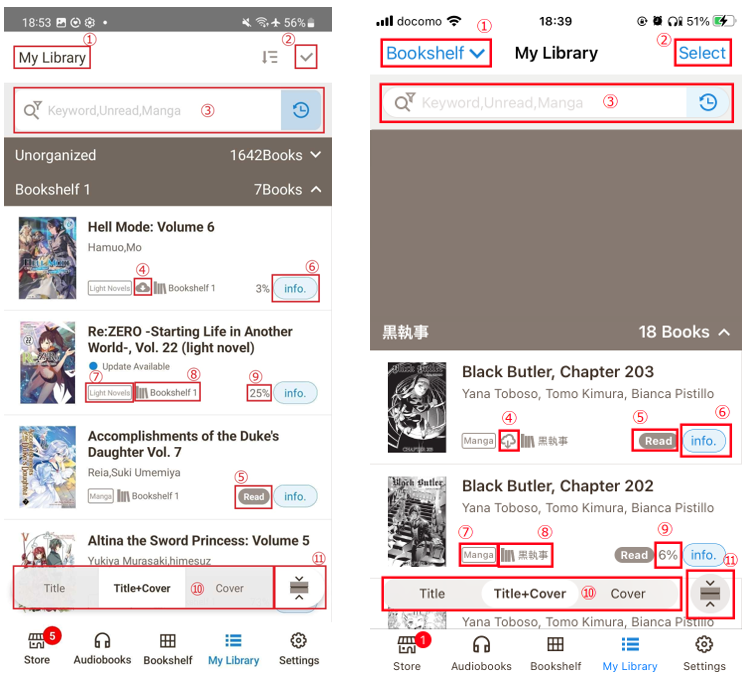
For the function of each button, please refer to the following explanations
① Sort your purchase list by Order Date, Date Read, Bookshelf, Ratings, Title, Authors, Series and Labels
② Select your eBooks in a bulk
③ Refined Search
④ Undownloaded icon
⑤ Reading Status (Read/Unread)
⑥ eBook information
⑦ eBook Genre (Manga, Light Novel)
⑧ Name of Bookshelf
⑨ Reading Status in %
⑩ You can change the way the list is displayed
⑪ You can minimize your list
Android <> iOS
 FAQ
FAQ